

AI and brand
The Pixi assistant and the daily AI allowance
Pixi is the design assistant inside the editor. You tell it in plain words what to change, and it edits the design for you.
Open the assistant
Click Assistant in the editor toolbar, or the Assistant tab on the right edge. The panel greets you and lists what Pixi can do: I can search the web, read websites, download images and data, generate backgrounds and pictures, and edit the card directly.
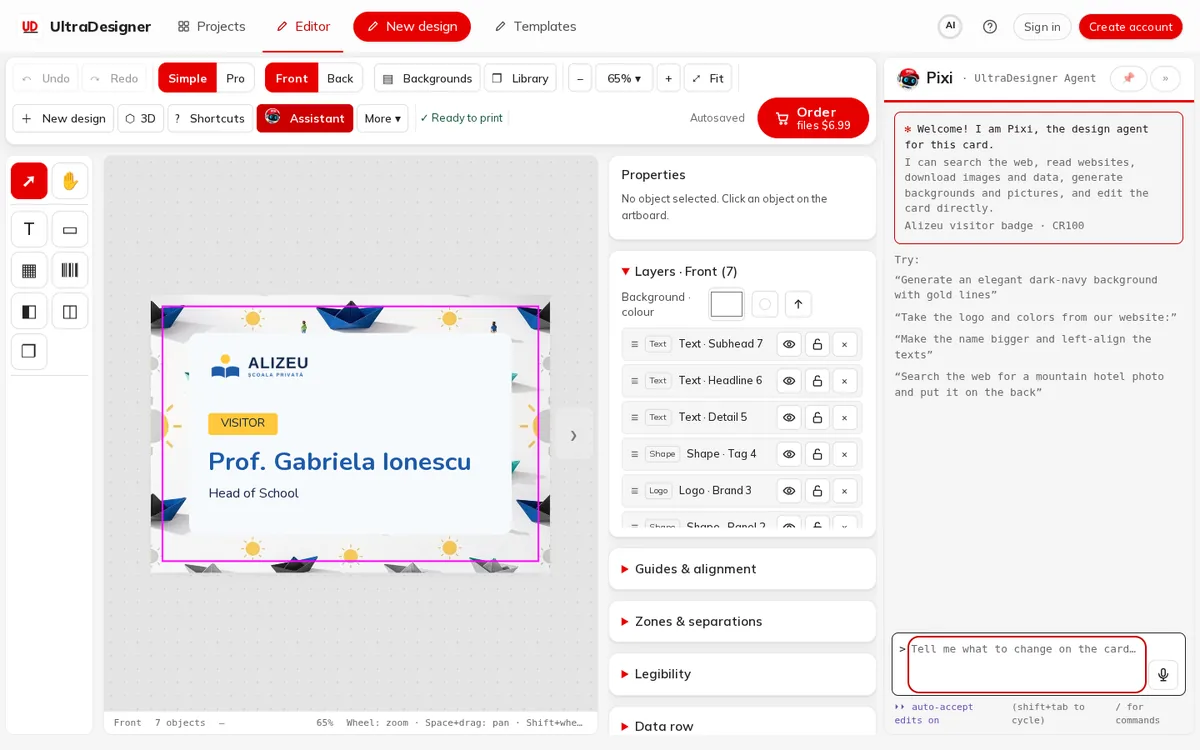
Type a request in the box (for example "Make the name bigger and left-align the texts") and press Enter. The examples under Try are a good start.
Stay in control
- Under the box you choose how Pixi applies changes: ⏵⏵ auto-accept edits on or ⏸ ask before edits (Shift + Tab switches).
- When Pixi asks Do you want to proceed?, answer Yes or No, tell the agent what to do differently.
- Type / for commands: /undo reverts the last change, /clear resets the conversation, /help lists the rest. Esc interrupts Pixi while it works.
The daily free AI allowance
AI is free within a daily allowance per account. The header shows a meter; click it to see Free AI today with how many you have used and how many are left. The allowance Resets at midnight UTC.
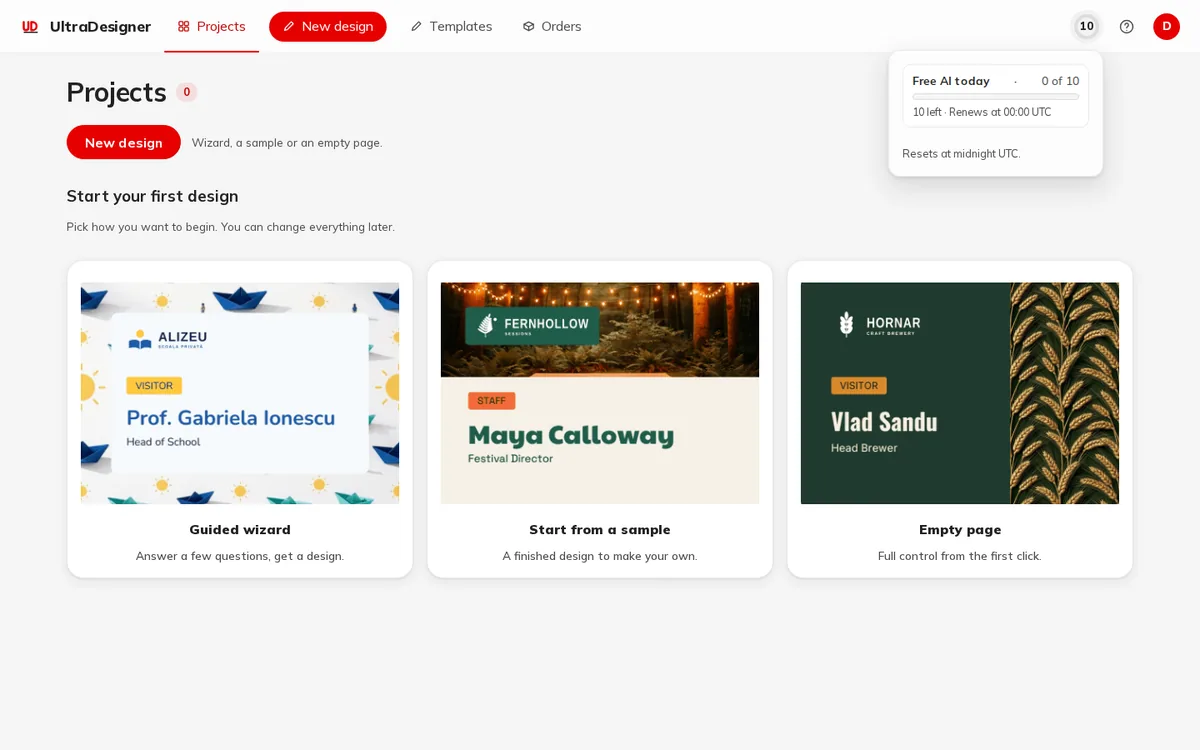
- Without an account there is no AI; the app shows how many free uses a day you get when you sign in.
- When the day's allowance is used up, the app says Today’s free generations are used up. They renew at midnight UTC; you can keep editing by hand.
- There is also an overall daily limit for the whole service. If it is reached, AI pauses for everyone until the next day; manual editing keeps working.
- A request that fails is not counted twice when you try again.
What AI never changes
Names, wording, logos and codes you entered are kept exactly as you wrote them. AI pictures carry a preview mark until you buy the files or order a print.
Screens and prices in the pictures are examples; the app always shows the current price before you pay.
Written for the app as of 2026-10-27.