

AI and brand
Make a brand pack from your design
The brand pack reuses what your design already has (logo, colours, fonts and texts) to make matching material for email and social media. It is free.
In this guide
Open the brand pack
Step 1: Open it from the editor
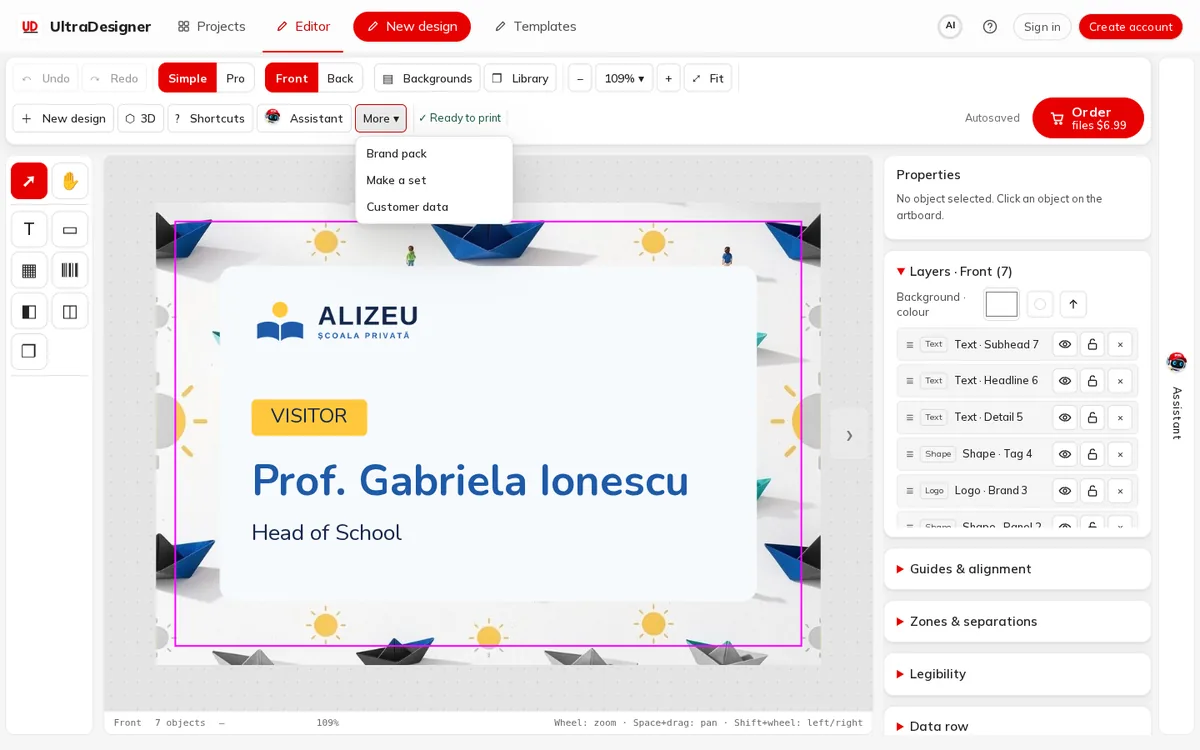
With a design open, click More in the editor toolbar and choose Brand pack.
Step 2: Check what is used
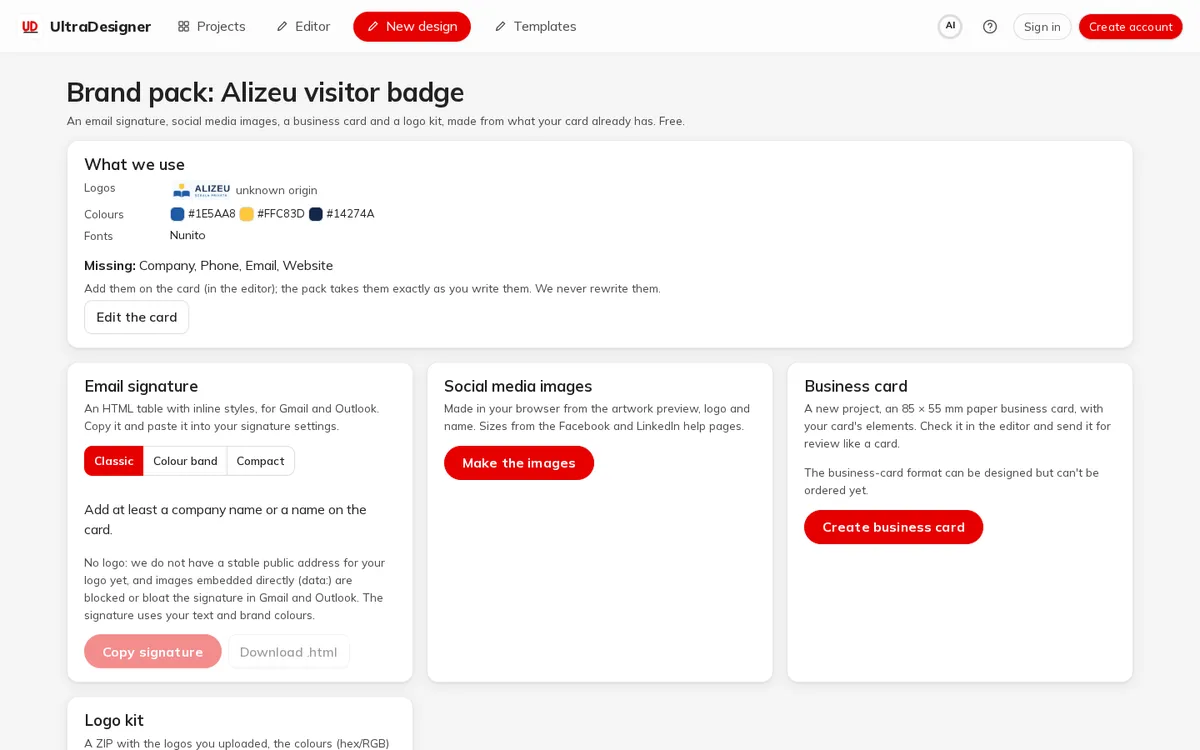
The box What we use lists the logos, colours and fonts found on the design and what is missing (for example a phone number or website). Add them on the card (in the editor); the pack takes them exactly as you write them. We never rewrite them. Edit the card takes you back.
What you can make
- Email signature: an HTML table for Gmail and Outlook in three styles (Classic, Colour band, Compact). Copy signature and paste it into your mail settings, or Download .html.
- Social media images: Make the images creates them in your browser from the artwork, logo and name; save each with Download PNG.
- Business card: Create business card makes a new 85 × 55 mm paper business card project with your elements, to check in the editor.
- Logo kit: Download ZIP gives you the logos you uploaded, the colours (hex/RGB) and the fonts. Logos found on a website or made by AI are not included.
Screens and prices in the pictures are examples; the app always shows the current price before you pay.
Written for the app as of 2026-10-27.