

Downloads and orders
Order prints
When your design is ready, you can have it printed and shipped. The order window checks the design, shows the price for your country and quantity, and asks you to approve the design before you pay.
Place the order
Step 1: Click Order
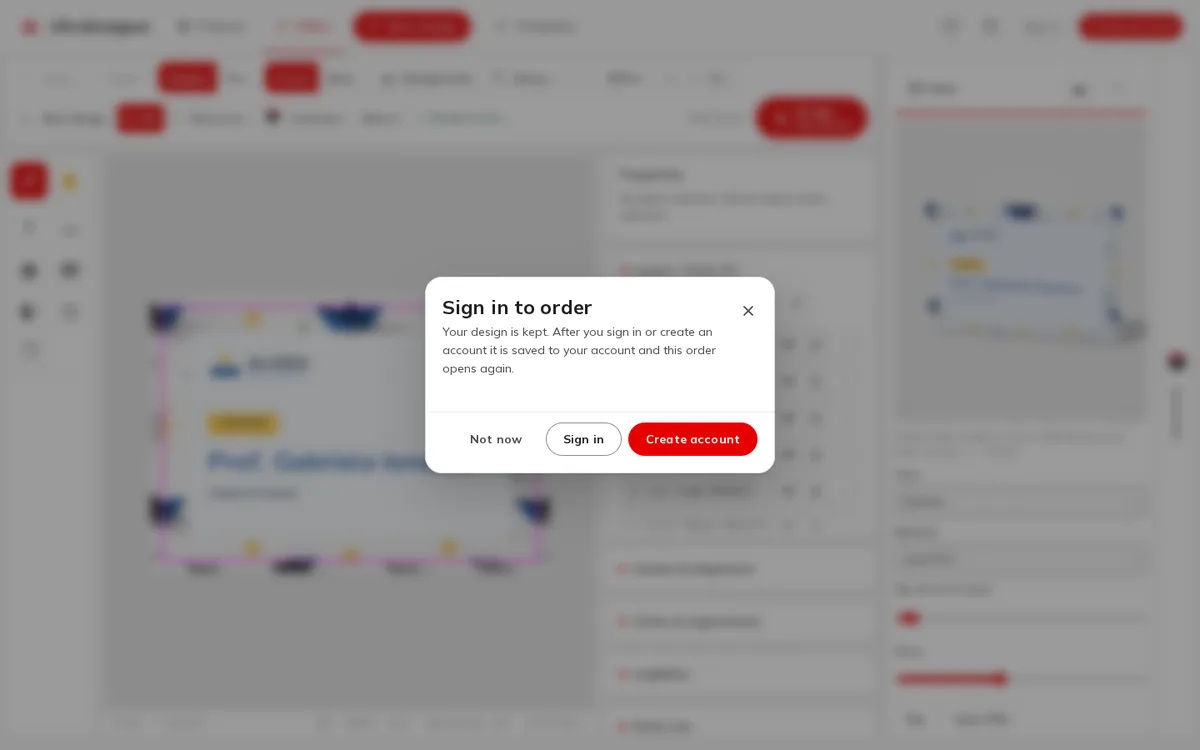
In the editor, click Order. Without an account you see Sign in to order: your design is kept, and after you sign in or create an account the order opens again.
Step 2: Let the app check the design
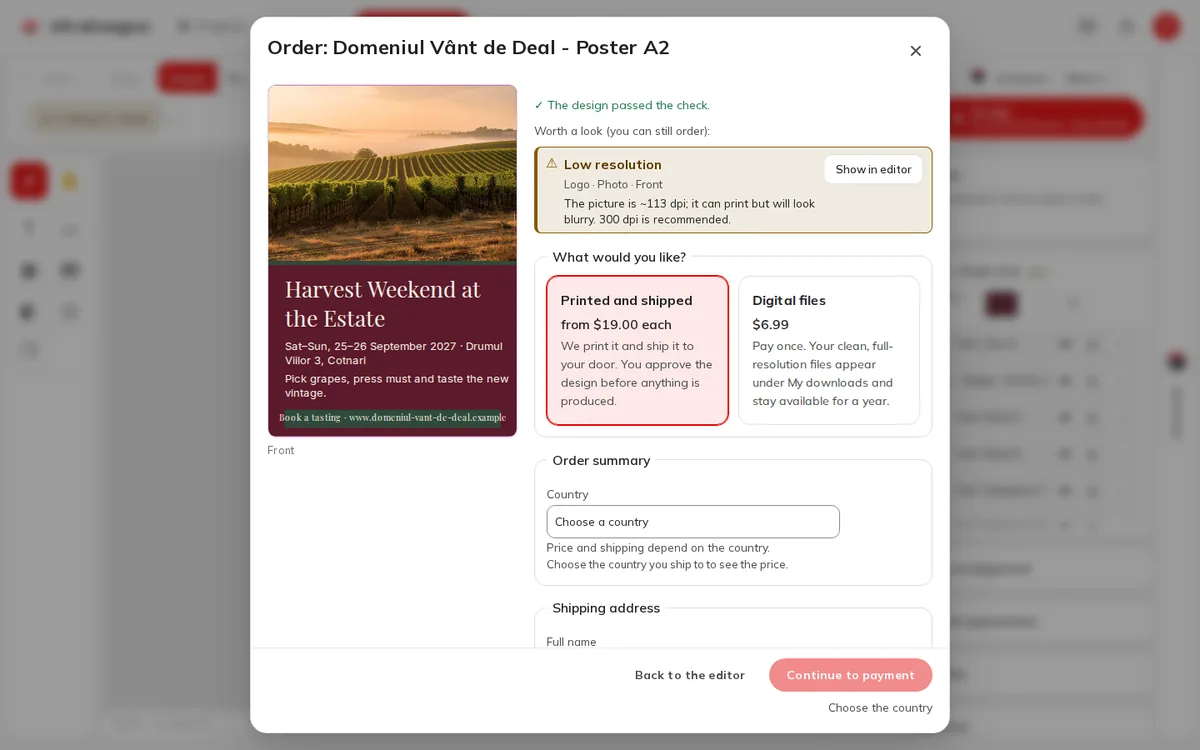
The window first checks the design for print. ✓ The design passed the check. means you can go on; warnings are listed under Worth a look (you can still order): with a Show in editor button.
Step 3: Choose Printed and shipped
Under What would you like? choose Printed and shipped: We print it and ship it to your door. You approve the design before anything is produced.
Step 4: Choose the country, quantity and options
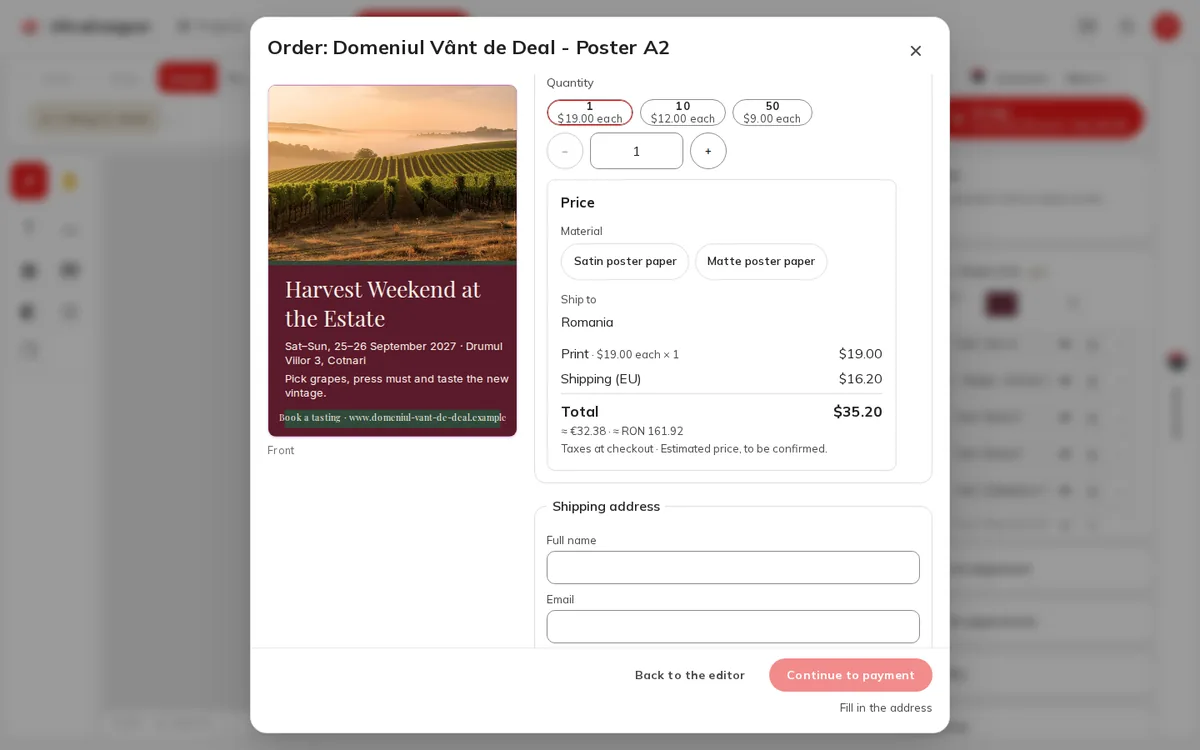
Pick the Country you ship to (Price and shipping depend on the country.), then the Quantity and options such as the Material. The Price box shows the printing, the shipping and the Total.
Step 5: Enter the shipping address and approve
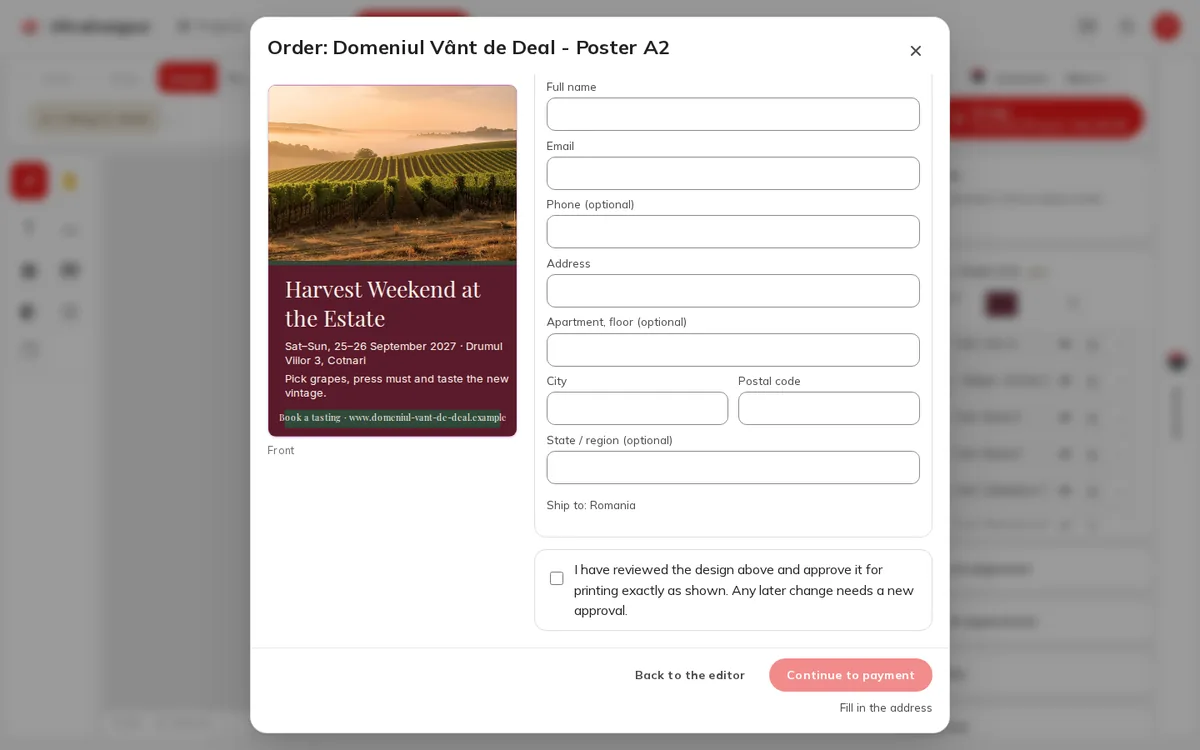
Fill in the Shipping address, then tick the approval: I have reviewed the design above and approve it for printing exactly as shown. Any later change needs a new approval.
Step 6: Pay
Click Continue to payment and pay by card at checkout. When the payment is confirmed you see Payment received and the order appears under My orders.
Quantities and prices
- Some products have a minimum quantity and go in steps; the app shows both under the quantity, rounds your number up if needed and tells you.
- The price per piece usually drops at larger quantities; the quantity buttons show the price each.
- Prices exclude tax: Taxes are calculated at checkout. Amounts in other currencies (≈) are shown only as a guide.
- A price is a quote. If it expires before you pay, the app says The price has expired. It is being recalculated — please try again.
See the pricing page for the products and their starting prices.
When printing is not available
Some products cannot be ordered printed yet. They show Download only in the catalog, and the order window says Printing for this product is coming — you can download the files now. See Download the clean files.
Screens and prices in the pictures are examples; the app always shows the current price before you pay.
Written for the app as of 2026-10-27.